Table of Contents
Portal File Transfert
This program allows you to copy files from one computer to another via an S3 bucket. Once pairing is complete, you can exchange files.
As soon as the file is downloaded to the second computer, it is deleted from the bucket. If it hasn't been downloaded, it will be deleted after one hour anyway: this ensures that you don't have to pay for S3 storage.
Main screen
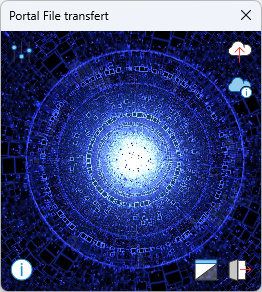
| Button | Description |
|---|---|
 | Program configuration: Language (English or French) and S3 bucket access settings. |
 | Send one or more files. The files will be compressed (.zip) before being sent to save bandwidth. The maximum size of the temporary archive file must not exceed 500 MB. If the file is larger, it will not be sent to the S3 bucket. To send files, you can also drag and drop them into the window. |
 | Displays the list of files contained in the archive(s) currently exchanged with the paired computer (sent and/or received). If an archive contains more than 20 files, only the first 20 are listed. |
 | Exit the program. |
 | Hides the program completely from the screen and taskbar — only the system tray icon remains. Click the icon (or this button again) to bring it back. |
 | Displays the “About…” window and the release notes. Right-clicking this button displays a list of the libraries being used. |
Configuration
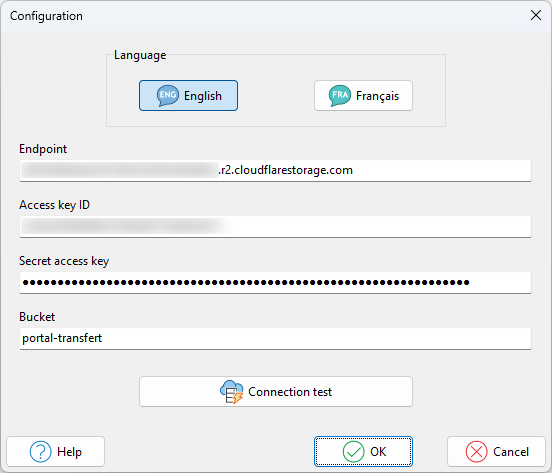
This window allows you to select the interface language and enter the S3 bucket access credentials. The help section describes the steps for creating an S3 bucket on Cloudflare.
Download
- ledPortal.cab Standalone executable (No installation required, but this archive does not contain the documentation)
- ledPortal_Setup.exe Installation Program
At this time, only the Windows version is available. A macOS version is currently in development.
Donation

Don't forget to read the END-USER LICENSE AGREEMENT.